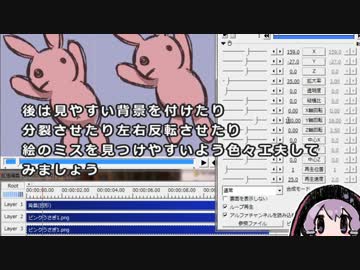
<a href="#" class="seekTime" data-seekTime="0:26" onclick="seekNicoPlayer('#0:26'); return false;">#0:26</a> 1 :: 連番画像を用意する<br /><a href="#" class="seekTime" data-seekTime="0:44" onclick="seekNicoPlayer('#0:44'); return false;">#0:44</a> 2 :: 連番画像自動読み込みでアニメーションを作る<br /><a href="#" class="seekTime" data-seekTime="4:12" onclick="seekNicoPlayer('#4:12'); return false;">#4:12</a> 3 :: 自分で画像を配置してアニメーションを作る<br /><a href="#" class="seekTime" data-seekTime="7:23" onclick="seekNicoPlayer('#7:23'); return false;">#7:23</a> 4 :: アニメーションの絵を修正する<br /><br />■動画中紹介ページ<br />PSD to PNG <a href="http://hp.vector.co.jp/authors/VA017881/" target="_blank" rel="noopener nofollow">http://hp.vector.co.jp/authors/VA017881/</a><br />GIMP <a href="http://www.geocities.jp/gimproject2/gimp2.8/" target="_blank" rel="noopener nofollow">http://www.geocities.jp/gimproject2/gimp2.8/</a><br />Continuous Save <a href="http://club.pep.ne.jp/~tamubun/computer/continuous-save.html" target="_blank" rel="noopener nofollow">http://club.pep.ne.jp/~tamubun/computer/continuous-save.html</a><br />Export Layers <a href="http://registry.gimp.org/node/28268" target="_blank" rel="noopener nofollow">http://registry.gimp.org/node/28268</a><br />全レイヤーを~スクリプト <a href="https://sites.google.com/site/mieki256wiki/home/gimp_all_layer" target="_blank" rel="noopener nofollow">https://sites.google.com/site/mieki256wiki/home/gimp_all_layer</a><br />■BGM GANO さん「Winter House」<a href="https://commons.nicovideo.jp/works/nc102330" target="_blank" rel="noopener">nc102330</a><br /><br />Aviutlよくわかってる人は「空の動画オブジェクト作る→連番画像の最初の画像読み込む→アニメ化」「F5キーで画像再読み込み」の二つだけ覚えとけばいいのかもしんないですね。
 9:04
9:04